
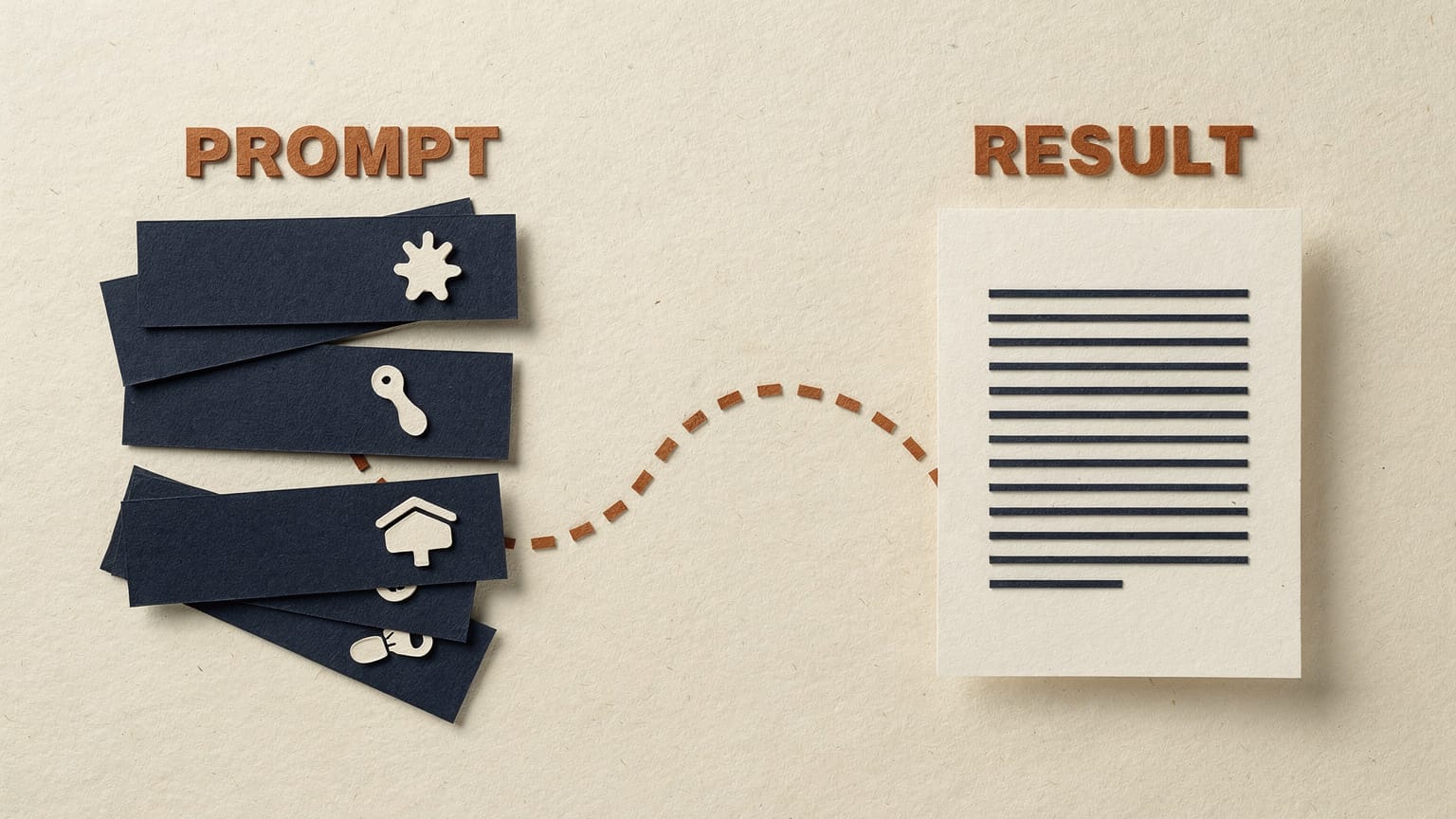
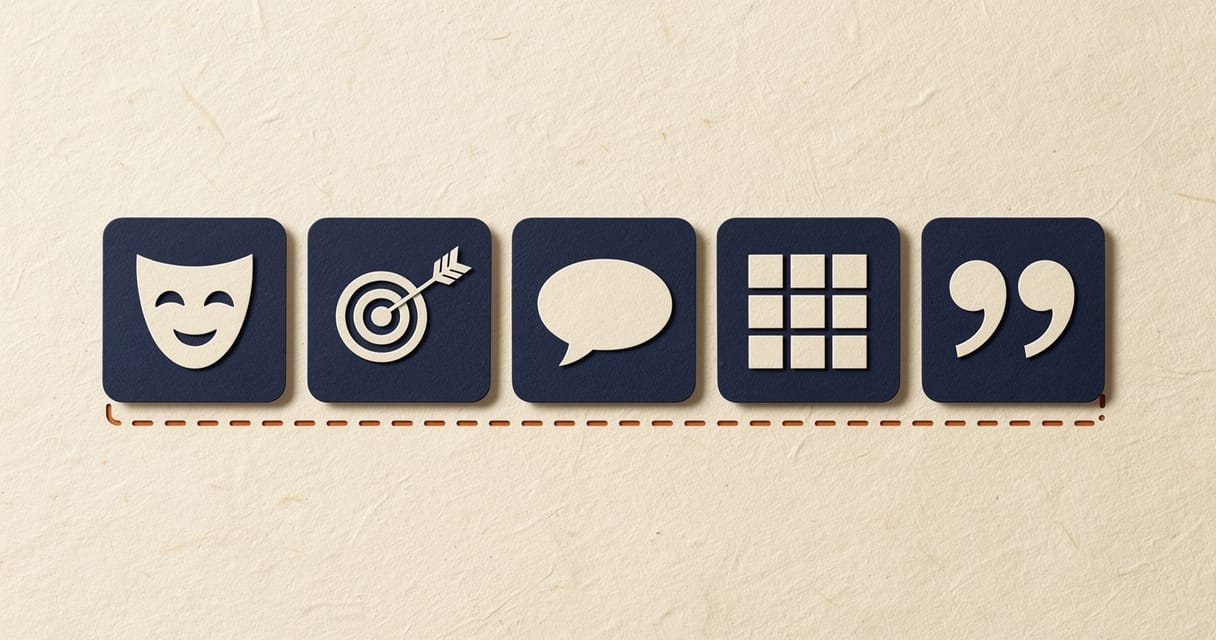
A good AI prompt in 2026 has five parts: role, task, context, format, and an example or two when tone matters. You don’t need all five every time — a quick reply needs none of them, while anything client-facing or reused weekly earns all five. The habits that stopped mattering are elaborate “world’s best expert” role-play, magic phrases like “take a deep breath,” and one giant prompt built to cover every edge case up front. The habit that matters most is iterating: treat the first response as a draft and tell the model specifically what’s wrong.
Most people write AI prompts like they’re barking orders across a noisy office: a few words, no context, then annoyance when the output misses the brief. Others overcorrect with elaborate role-play, magic phrases, and forty-line “expert persona” set-ups lifted from a listicle.
Neither works well in 2026. Today’s models (Claude, ChatGPT, Gemini) are better at guessing what you mean than they used to be. But better at guessing still isn’t mind-reading. What separates a usable first draft from generic mush is a short list of fundamentals: role, task, context, format, and an example or two when tone matters.
This guide covers what still works and what’s outdated, then gives you 13 complete prompts across writing, email, meetings, analysis, and research. Paste them in, swap in your own details, and go. If you’re still working out which assistant to point them at, our AI tools and models directory prices every major option in pesos, Australian dollars and US dollars — and the rest of the AI guides hub covers the ground either side of this one.
The five things every good prompt has
You don’t need all five every time.
A quick Slack reply needs none of this. A client-facing report, or a prompt you’ll reuse every week, deserves all five.
1. Role: who the model should be
Before it answers, tell the model what expert or perspective to bring. “You’re a senior copywriter reviewing this for a retail client” gets a sharper result than no role at all. Anthropic calls this one of the simplest, highest-return moves you can make: one sentence shifts both tone and judgement.
2. Task: the specific ask
Vague requests get vague answers. “Write something about our sales, make it detailed and good,” an example LOKAL uses in training to show what not to do, produces exactly the mush you’d expect. Say precisely what you want done, and to what: summarised, rewritten, compared, drafted, checked.
3. Context: the why
This is the ingredient people skip most, and the one that pays off most. Explaining why (who’ll read it, what came before) lets the model generalise correctly instead of guessing. Set the context early and it improves every answer after, not just the first.
4. Format: the shape you want back
A table, a bullet list, plain paragraphs, a word count, named columns: say it upfront instead of fixing it later. And tell the model what to do, not what to avoid. “Write in plain, flowing sentences” beats “don’t use bullet points.”
5. Examples: show, don’t just tell
When tone or structure really matters, one to three examples of the output you want is better than another paragraph of instruction. It’s sometimes called few-shot prompting, and it’s still, by a distance, the most reliable way to lock in a specific voice or layout.
What’s outdated, and what still holds up
AI moved fast enough between 2023 and 2026 that some once-standard advice quietly stopped mattering, while other advice got more important, not less.

Outdated
- Long “you are the world’s best X with 20 years of experience” role-play. A short, accurate role beats an elaborate one.
- Magic phrases like “take a deep breath and think step by step.” Current models with adaptive reasoning largely calibrate their own thinking depth. You can just ask directly for reasoning instead of chanting a phrase at them.
- One giant prompt trying to cover every possible edge case up front. It’s usually faster to send something reasonable, look at what comes back, and correct it.
- Obsessing over exact keyword phrasing, as if the model were a search engine from 2015. It isn’t. It’s reading for meaning.
Still true, arguably more than ever
- Specific beats vague, every time.
- Context changes the quality of an answer more than most people expect.
- Examples are still the best lever for tone and format.
- Say what to do, not just what to avoid.
- Break multi-part requests into steps.
- Iterate: treat your first prompt as a first draft of the prompt, not just the output.
There’s a live debate about whether “prompt engineering” is dead as a specialist job title, folded into the broader “context engineering.” But that’s a debate about titles, not about whether anyone should bother writing clear instructions. The fundamentals above are becoming baseline computer literacy: worth an afternoon’s practice for a whole team, not a specialist skill for one person.
When it’s worth the effort and when it isn’t
Not every prompt needs the full treatment. Effort should scale with how much is riding on the answer and whether you’ll reuse it.
- 01
Spend less time
Casual brainstorming, quick factual checks, a one-off rewrite. A single clear sentence is plenty.
- 02
Spend more time
Anything client-facing, long-document analysis, multi-step research, or — the highest-value case — a prompt you’ll reuse weekly. A meeting-notes-to-actions prompt you run every Monday pays back the ten minutes you spent building it, dozens of times over.
Simple test: doing it once? Wing it. Doing it every week? Build it properly. That’s what the pack below is for. It’s the same sorting instinct behind our Create, Understand, Act framework — decide what the task actually is before deciding how much effort it earns.
Iterate: the one habit that beats any framework
If you remember nothing else: treat the first response as a draft, not a verdict.
Tell the model specifically what’s wrong — “too long,” “wrong tone for this client,” “you missed the Q3 numbers” — rather than starting over. Every software company’s guidance agrees: a prompt gets refined against a real output, not written perfectly the first time. Two or three rounds of “adjust this” beats one long, careful opening attempt, and it’s usually faster.
Treat your first prompt as a first draft of the prompt, not just of the output.
13 starter prompts you can paste today
Thirteen prompts across the work that eats the most time: writing, email, meetings, analysis and research.
Each has a one-line “when to use” and a complete, paste-ready prompt. Swap the bracketed placeholders for your own details. These sit close to what we hand out as the workbook in LOKAL’s own AI training sessions.

Writing
Prompt 01
Turn bullet points into a first draft
When to use: you’ve got the substance but not the time to turn it into prose.
You are a business writer who writes in plain, direct English — no filler adjectives, no fluff.

Context: I'm writing a [blog post / internal memo / LinkedIn post] for [audience]. Topic: [topic].

Task: Turn the bullet points below into a first draft of about [400] words. Keep my points and their order, but write them as full sentences and paragraphs, not a list.

Format: Short paragraphs (2-3 sentences). No headers unless I've left a blank line between sections.

Bullet points:
[paste your bullets]

Ask me anything you need clarified before you write the draft.
Prompt 02
Rewrite for tone and length
When to use: the content’s right, the tone or length isn’t.
Rewrite the text below to be [more concise / more formal / warmer and more conversational / about half the length]. Keep every fact and number exactly as written — change how it reads, not what it says. Use [Australian/Philippine/US] English spelling.

Text:
[paste text]

After the rewrite, add a two-line note on what you changed and why.
Prompt 03
Three caption or copy variations
When to use: you need options fast, not a blank page.
You're writing [platform] captions for [business], whose voice is [describe: e.g. direct, dry, no corporate jargon].

Task: Write 3 options (60-90 words each) for this update: [describe the post].

Format: Number 1-3. After each, one line on who it suits best (reach, comments, saves). No emojis unless I ask for them. Add 3 relevant hashtags only if that's normal for this platform.
Prompt 04
Cold outreach or introduction
When to use: reaching out to someone new without sounding like a template.
Write a short cold email introducing [company/service] to [recipient's role/company].

Context: We help with [what you do]. Reason for reaching out now: [trigger, e.g. they just opened three new stores]. Goal: a 15-minute call, not a sale in the email itself.

Constraints: Under 120 words. One clear ask. No "I hope this email finds you well," no exclamation marks, no generic flattery.

Give me two subject line options and the email body.
Prompt 05
A diplomatic, difficult message
When to use: saying no, chasing something overdue, or raising a problem without burning the relationship.
Help me write an email that [says no to X / follows up on overdue Y / raises a problem with Z], to [describe the relationship].

Context, honestly: [what actually happened, including anything that's on us].

Tone: Direct and professional — not passive-aggressive, not over-apologetic. I want to keep the relationship and get [specific outcome].

Format: Under 150 words. End with a specific next step or date, not an open-ended "let me know."
Prompt 06
Meeting follow-up email
When to use: turning a meeting into a follow-up before it goes cold.
From the notes below, write a follow-up email for attendees.

Include: a 2-sentence summary of the meeting, decisions made, action items as "[Owner] — [action] — [due date]," and anything left open.

Tone: Neutral and clear — don't add opinions that weren't in the notes. If an action item has no clear owner or date, flag it as [NEEDS OWNER] or [NEEDS DATE] instead of guessing.

Notes:
[paste notes or transcript]
Meetings
Prompt 07
Transcript to structured summary
When to use: a messy transcript, and you need the version a busy exec will actually read.
Act as a meeting analyst. Below is a raw transcript from a [meeting type].

Produce: a 3-sentence executive summary; key decisions (bulleted); action items in a table — Owner | Action | Due date; open questions; anything that contradicted an earlier decision, if you notice it.

Rules: Only use what's in the transcript — don't infer intentions that weren't stated. Label unlabelled speakers [Speaker 1], [Speaker 2]. Flag anything ambiguous rather than guessing.

Transcript:
[paste transcript]
Prompt 08
Pre-meeting brief
When to use: ten minutes before a meeting you didn’t have time to prepare for.
I have a meeting in [30] minutes about [topic] with [attendees and roles]. What I know going in: [paste notes, emails, background — even messy].

Give me a one-page brief: what this meeting is likely about; 3-5 questions I should be ready to answer or ask; any objection I should expect from [person/role]; a suggested opening line to steer the conversation.

Keep it scannable — I'm reading it on the way there.
Analysis
Prompt 09
Summarise a long document
When to use: a report landed in your inbox and you need the substance, not the padding.
Summarise the document below for someone who won't read the full thing.

Format: 3-sentence overview; key findings or numbers (bulleted, with actual figures, not vague descriptions); what this means for [my role/decision] specifically; anything vague, missing, or contradictory in the source.

Constraint: Don't add outside information or opinion — only summarise what's here. If a claim is unclear, quote the exact sentence rather than paraphrasing it.

Document:
[paste text]
Prompt 10
Decision or comparison matrix
When to use: choosing between options and wanting the trade-offs laid out, not just a recommendation you can’t defend.
I'm deciding between: [list 2-4 options]. What matters, in order: [your actual criteria].

Build a comparison table — options as rows, my criteria as columns — using what I've told you below. Mark anything you're inferring rather than what I stated with [inferred].

After the table: a short paragraph on which option best fits my stated priorities (not which is "best" generally), and one risk with that choice I should check before committing.

What I know about each option:
[paste details, notes, pricing]
Prompt 11
Quick SWOT or competitive read
When to use: sense-checking a decision or sizing up a competitor before a meeting.
Do a SWOT analysis of [company/product/idea] based only on the information below, not general industry knowledge.

Format: four sections (Strengths, Weaknesses, Opportunities, Threats), 3-4 bullets each, each bullet one sentence with a reason attached, not just a label.

Then add "So what": 2-3 sentences on what this actually means for [my decision], not a description of the landscape.

Information:
[paste notes, website copy, reviews, financials]
Research
Prompt 12
Structured research brief
When to use: a first-pass research brief with the sourcing shown, not a confident-sounding paragraph.
Research [topic/question] for me.

Give me: a direct answer in 2-3 sentences; the main supporting points, each with what kind of source it likely comes from (industry report, company blog, government data — and flag low confidence); at least one credible counterpoint or limitation; 2-3 follow-up questions I should ask next.

Rules: If you're not certain about a fact or number, say so rather than stating it as settled. Don't invent statistics or sources. If this needs live web data to answer properly, tell me instead of guessing from memory.
Prompt 13
Explain a complex topic simply
When to use: briefing a client, board or new hire on something technical without losing them.
Explain [topic/concept] to [audience — e.g. a client with no technical background who controls the budget].

Use one real-world analogy that actually fits, then explain it in plain language in 150-200 words. Avoid jargon; if you must use a technical term, define it in the same sentence.

Finish with "Why this matters to you" — 2 sentences connecting it to their actual goal: [their goal].
How to adapt these to your own workflow
None of the above is meant to be used exactly as written forever. Two adjustments make them noticeably better within a week of real use.
- Save your best version. The first time a prompt gives you a genuinely good result, save that exact wording — in a notes app, a doc, or as a saved Claude Project or Custom GPT instead of retyping it from memory next time. Our 45-minute Campaign Brain build is the version of that we actually run.
- Add your own constraints. Once you know your manager hates em-dashes, or your CFO wants numbers before narrative, bake that into the prompt permanently. That’s the difference between a generic prompt and one that’s actually yours.
Once prompts stop being one-off messages and start being saved, shared assets, you’re into the next layer of the stack — projects, agents, connected tools. Role-specific versions live in our prompt packs by role; the standing email version is a Gemini Email Gem. Our plain-English guide to agents, MCP and Skills covers what each of those words actually means, and why we standardised on Claude explains the tool we run all of it on.
If you want structured practice turning this into a habit across a whole team rather than one inbox, that’s what our AI training and AI courses are built around.
Keep going: browse the full AI guides hub for the rest of the foundations series, or the Insights archive for everything else the team publishes.
FAQ
Common questions
Do I still need to learn prompt engineering in 2026?
Yes, but not the exotic version. The trick-phrase, “prompt whisperer” style of prompting has faded as models improved. What hasn’t faded is plain-English clarity — role, context, task, format, examples. That’s closer to baseline computer literacy now than a specialist skill, and it’s the first thing we teach in LOKAL’s own AI training sessions.
What’s the fastest way to make a mediocre prompt better?
Add context. Of the five ingredients, it’s the one people skip most and the one with the biggest payoff — explaining who’ll read the output and why usually does more than any other single edit.
How long should a good prompt be?
As long as it takes to remove ambiguity, and no longer. A one-off reply needs a sentence. A client report, or a prompt you’ll reuse weekly, earns a few short paragraphs.
Do these prompts work in ChatGPT, Claude and Gemini, or do I need different versions for each?
The structure works across all three — role, context, task, format and examples are universal. Wording rarely needs to change; Gemini tends to respond best to slightly shorter, more direct phrasing than the other two.
Your next step
Want your whole team prompting like this?
If you want help putting this into practice, bring one task and its constraints.
Thirteen prompts get one person through a busy week. LOKAL has trained approximately 1,500 people in the last two years.